Running the site
How to publish a podcast or an article, send the newsletter, change what's live, and look after the brand. One place, kept up to date.
Everything you need to run the site yourself, in one place. Find what you want to do in the contents list and follow the steps. When something changes, this page changes, so you never have to dig through old messages.
Start here
Your five bookmarks
- Ghost Admin: grantgiles.com.au/ghost. Where you write, publish and send.
- Episode image maker: grantgiles.com.au/episode-image. Makes the picture for each podcast episode.
- This guide: grantgiles.com.au/guide.
- Post checkup: grantgiles.com.au/checkup. Lists every published post that breaks a rule in this guide, with a link to fix each one in Ghost.
- Publishing calendar: grantgiles.com.au/calendar. What's gone out and what's coming up, with a link to change each date in Ghost.
None of these four pages is linked anywhere on the site, and Google is told to ignore them. Only people with the link will find them.
Before you publish anything: check the title
Ghost names a new post "(Untitled)" until you type a title, and it builds the web address from the title the first time you save. A post published as "Untitled" goes out with that title, an address like grantgiles.com.au/untitled-3, and, if emailed, the subject line "Untitled".
- Type the title first, before anything else.
- Before you click Publish, open the settings (the panel icon, top right) and check Post URL reads like the title.
Publish a podcast episode
Before you start: Buzzsprout
Upload the episode to Buzzsprout as usual. Name it there with its number, like RH Episode #45 - The Title. The website reads the number from that name, so keep the #45 in it.
Step by step
- Make the picture. Open the episode image maker, type the episode number, title and release date, and click Save image.
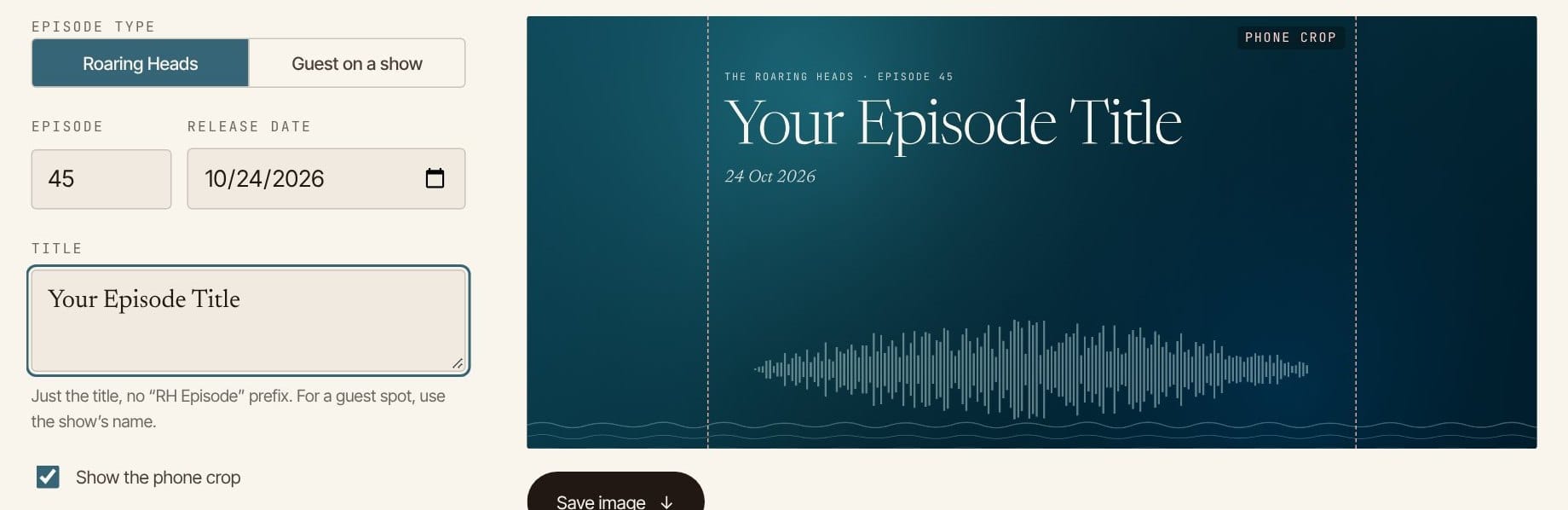
- Start a new post in Ghost Admin and type the title first: just the episode title, with no "RH Episode #45" in front.
- Add the picture: click Add feature image above the title and upload the file you saved. Click the image, choose Alt, and paste the alt text the image maker gave you.
- Add the player: in Buzzsprout, copy the episode's embed code. In the post, type /html, press Enter, and paste it into the HTML box.
- Add the show notes: on the next line type / and pick Episode show notes. It gives you six parts, in this order: a short opening in your words; The guest (delete it for a solo episode); In this episode; From the episode (one line you said, word for word); Where this fits (which part of how you coach it's about, linked to Automaticity, Thrive or Discomfort); and Keep reading (two or three of your essays, each with a few words on why). Replace everything in [square brackets]. Tim Reed, World-Class Triathlete shows a finished one.
- Open the settings (the panel icon, top right):
- Tags: Podcast first, then one topic tag: Mind, Training or Racing Insights. It decides which topic page the episode appears on and which essay shows under it.
- Excerpt: one or two lines on what the episode is about and who's on it. It shows in large type under the player, and in Google.
- Check the title and Post URL, then Publish. Pick Publish only, or Publish and email to send it to your readers as well (see Send a newsletter).
What the page does for you
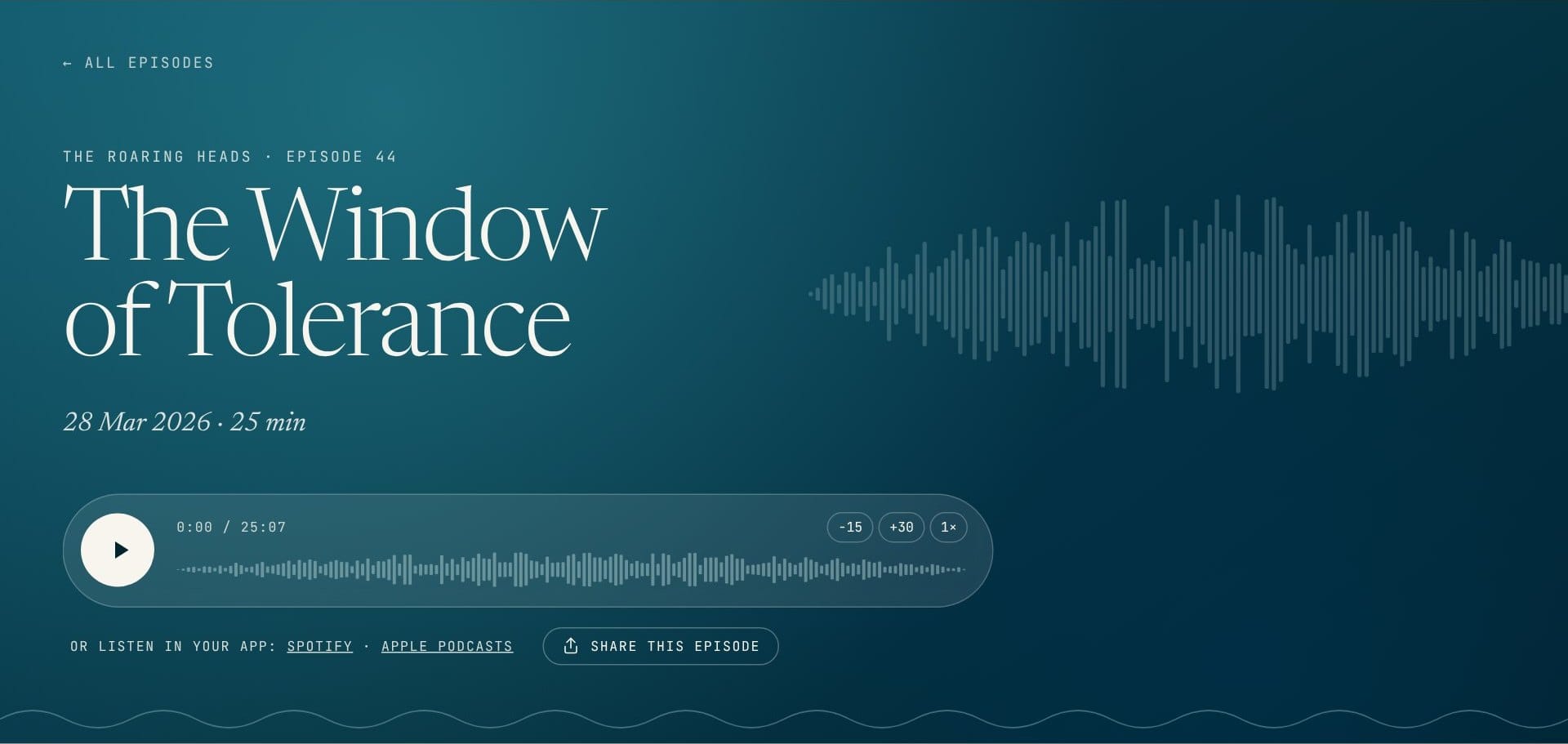
The page fills in the rest on its own: the episode number, its length, the player, the Spotify and Apple links, the share button, the "Follow the show" links, and a "Your host" box with your accreditation, the athletes you've coached and a booking link. Don't paste any "Listen on Apple / Spotify" links into the notes.
Publish each episode once. A second "promo" post for the same episode competes with the real one in Google.
When you're a guest on someone else's show
Same steps, with three differences:
- Paste their Spotify or YouTube embed instead of a Buzzsprout one (type /spotify or /youtube and paste the link).
- No Spotify or YouTube page for the episode? Find the episode's audio file instead (on Libsyn it's the Download link; any address ending .mp3 or .m4a works), and paste it as an ordinary link on its own line. The page turns it into your player. The Psychology of Performance is set up this way.
- Add the tag #guest-spot after Podcast. Tags starting with # stay hidden from readers.
- In the image maker, choose Guest on a show and use the show's name as the title.
The page then says "Grant on another show", with no Roaring Heads number or app links.
Publish an article
Articles are what the site calls essays. They appear on the Writings page and the home page automatically.
Step by step
- New post. Type the title first, and keep it under about 60 characters.
- Write. Use Heading 2 for section headings. They become the contents list (on phones, a contents bar on longer articles).
- Add a feature image: click Add feature image above the title. Every article needs one. It's the picture at the top of the post, in link previews when someone shares it, on the topic pages and in the "related reading" cards. See Pictures for articles below. It must be landscape (wider than tall), never a portrait photo.
- Settings (the panel icon, top right):
- Tags: one topic tag first: Mind, Training, Racing Insights or Race preparation. That tag decides which topic page and related articles it links to.
- Excerpt: a sentence or two (120 to 155 characters) on what this article says. Write it in your own voice, as you'd say it to a reader (“I” and “you”), never “Grant on…”: it shows under the title on your own page.
- Check the title and Post URL, then Publish. Pick Publish only, or Publish and email to make it this week's letter too (see Send a newsletter).
Leave off the old sign-off badges (the AusTriathlon High Performance banner and IAP logo), on the website and in emails. They were taken off every post in October 2026.
Help Google find it
- Link two or three of your other articles in the text. Link the words that name what the other article is about ("race week", "performance anxiety"), not "click here". This helps Google more than anything else you can do inside a post.
- The excerpt shows in the Writings list, in link previews and in Google, so make it say what the reader gets.
- Meta data (in settings, optional): if the title is short or poetic, like "Guts", give it a plainer search title so people know what it's about.
Pictures for articles
- Landscape, at least 2000 pixels wide, with the subject in the middle. The site shows it as a wide strip across the top and trims the top and bottom. Phones show a squarer crop of the middle.
- Add alt text: click the image, choose Alt, and describe what's in it in one plain sentence.
- Don't use a tall (portrait) photo as the feature image. The wide strip crops it to a sliver, like a lion shown only as a nose.
- Only have a tall photo you want to use? Or a book with a tall cover? Use a wide picture as the feature image, and put the tall one further down in the text, where it shows in full.
- Don't start the text with a picture. The feature image already sits at the top, so a second one straight under it stacks two pictures before the first line. Put extra pictures further down, after a paragraph or two.
Add an athlete's story
Athletes' stories are posts tagged Testimonial. Every one shows on the Athletes page. The first three also appear as “A few kind words” on Work with me and under the names on the home page, and the first one is the quote on grantgiles.com.au/hello.
Step by step
- New post. Type the title first, for example “Jane Smith: From First Sprint to Ironman”.
- Paste their story as they wrote it.
- Tag it Testimonial. It doesn't need a topic tag.
- Add a feature image: a landscape photo of them racing, at least 2000 pixels wide.
- Write the caption under the picture: their name and who they are, for example “David Arnold · Age-group triathlete”. This is the name line on the pages.
- Excerpt (in the settings panel): one or two sentences from their story, word for word, with no quote marks. This is the quote the pages show, so pick the line that sounds most like them.
- Meta data → Meta description: one plain sentence on what the story is about, for Google. Without it, Google shows the quote.
- Publish. It's on the Athletes page straight away.
Their words, not yours
Only quote what the athlete actually wrote or said. Don't polish it into something they didn't say: reworded or made-up testimonials can breach Australian Consumer Law. Check they're happy before it goes up. A story can also come from something they said on the podcast, quoted word for word, like Tim Reed's.
Choose who comes first
Star a story to move it up: in the settings panel, turn on Feature this post. Starred stories come first, newest first, then the rest. The newest starred story leads the Athletes page and is the quote on /hello. Right now that's Tim Reed, with David Arnold also starred.
What Shawn adds
Each story on the Athletes page also has a short label (like “Professional · San Francisco”) and three notes: Came to Grant, What changed and Result. Shawn writes those from the story. A new story shows without them until he does, so send him the link when you publish one. The big numbers at the top of the page (31 Ironmans, 7th, Sub-5, 120kg) are his too.
Stories people send you
Past athletes can send their story from the form on the Athletes page. It arrives in your email like the /hello messages, with the subject “A story for the athletes page”. Reply, check they're happy for it to go on the site, then follow the steps above.
Send a newsletter
Your newsletter is The Letter. Everyone who signs up on the site gets it. There's no separate newsletter tool: you write a post in Ghost, and when you click Publish you choose where it goes.
Three ways to publish
When you click Publish, the first line of the panel lets you choose:
| Choose | On the website | In inboxes | Use it for |
|---|---|---|---|
| Publish only | Yes | No | An episode or article you don't want to email out |
| Publish and email | Yes | Yes | An article or episode that is also this week's letter |
| Email only | No | Yes | A note just for your readers: news, a race-week message, an offer |
The email's subject line is the post's title, and the excerpt is the preview line most inboxes show under it.
Don't add anything to the bottom of a letter. No AusTriathlon High Performance banner, no IAP logo, no sign-off block. Ghost adds the letter's footer for you: your "work together" line and the unsubscribe link.
A post that also goes out as the letter
- Write the episode or article as usual (see above).
- Send yourself a test: click Preview (top right), switch to Email, and click Send test email. Check it on your phone.
- Click Publish and choose Publish and email. Leave the recipients as All subscribers unless you mean otherwise.
- Click Continue, check the summary, and confirm.
A letter that isn't on the website (email only)
For news, a quick race-week note, or anything just for your readers.
- New post. Type the title first: it's the subject line.
- Write the letter. Skip the tags; nobody sees them.
- Add an excerpt in the settings. It's the preview line in the inbox.
- Send yourself a test (Preview, then Email, then Send test email).
- Click Publish, change the first line to Email only, click Continue, and confirm.
It shows in your Posts list as Sent. It never appears on the website, the Writings page or in Google.
The welcome email
Every new reader gets one email the moment they sign up: a short hello from you, four places on the site to start, and one question to reply to. It's the one email every subscriber reads.
It's on. To change it, go to Ghost Admin → Settings → Membership and open the welcome email for free members. Here's what it says now, for reference. Subject: Welcome to The Letter. Preview text: A short note, and a few places to start.
Hello,
Thanks for signing up. I'm glad you're here.
A quick introduction. I'm Grant. I've coached endurance athletes for twenty-six years, mostly triathletes, from Brunswick Heads on the north coast of New South Wales. I'm also a clinical hypnotherapist, which is a longer way of saying I care as much about what happens in your head as in your legs.
The Letter arrives every couple of weeks. One idea in each — on training, on the mind, or on something I'm quietly working on. Short enough to read with a coffee.
While you wait for the first one, here are a few places to start.
Free training plans — three of them, written in full, nothing to unlock. The most useful thing on the site if you want something to do this week.
How I coach — the framework everything sits on. Two pillars: one for the body, one for the mind. If you only read one page, read aerobic strength. It's the bedrock.
Essays by topic — training · mental skills · racing. Or everything, by year.
The Roaring Heads — the podcast archive, if you'd rather listen on a long ride.
One question, if you've got a minute. What are you training for at the moment? Hit reply and tell me. A line is plenty. I read every one, and I write back.
Grant
Keep it true. Nothing on the site flags this email when something changes, so check it when you:
- change how often the letter goes out ("every couple of weeks");
- change where replies go (they currently go to grant@aeromaxteam.com);
- start recording the podcast again (you might say so in that paragraph).
Before you hit send
- An email can't be unsent or sent twice. Fixing the post afterwards fixes the website, not the copies already in inboxes. That's why the test email matters.
- Check the title one last time. It's the subject line.
- Pick the time on purpose. You can schedule the send: choose Schedule for later in the same panel.
Your readers
- People sign up at grantgiles.com.au/signup. The sign-up forms around the site go there too.
- Your readers are under Members in Ghost Admin. You can see who's opening the letter there and in Analytics.
- Readers sign back in at grantgiles.com.au/signin with an emailed link or a six-digit code, so there's no password to forget.
- Every letter has an unsubscribe link at the bottom. Ghost handles it; there's nothing for you to do.
Change something already live
Fix a typo or update a post
Open the post, change it, click Update. It's live straight away. Readers who already got it by email keep the old version.
Schedule a post
When you click Publish, choose Schedule for later and pick the day and time (Brunswick Heads time). It works for all three ways to publish.
Take a post down
Open it and click Unpublish. It goes back to a draft, and the link stops working. Don't delete it unless you're sure, because deleting can't be undone.
Drafts and preview
Drafts are private until you publish. Use Preview (top right) to see exactly how a post will look on the site and in an email.
Tidy up older posts
Open the post checkup now and then. Pick a check to see the posts that need it, open one in Ghost with Edit in Ghost, fix it, and move to the next. Start with the Fix checks: a missing or tall feature image, a picture at the very top of the text, or no summary. Improve (links to your other articles) and Some day (short posts) can wait for a quiet week. Short is fine for one sharp idea.
Fixed posts drop off the list next time you load the page. It checks published posts only, so it won't see a draft.
Tags and pictures
Tags
Tags tie the site together. Use these:
- Mind: the inner game, doubt, fear, focus, pain. Feeds the Mental skills page.
- Training: how training works. Feeds the Training insights page.
- Racing Insights and Race preparation: race day and the build to it. Feed the Racing insights page.
- Podcast: every podcast episode, and only those.
- Testimonial: an athlete's own story. Feeds the Athletes page, the home page, Work with me and /hello.
- Free training plans: extra plans and guides. They show under the three main plans on the Free training plans page.
- #guest-spot: your appearances on other people's podcasts.
You can rename a tag, but don't change the end of its web address (its "slug"). The topic pages find their articles by it.
Pictures and link previews
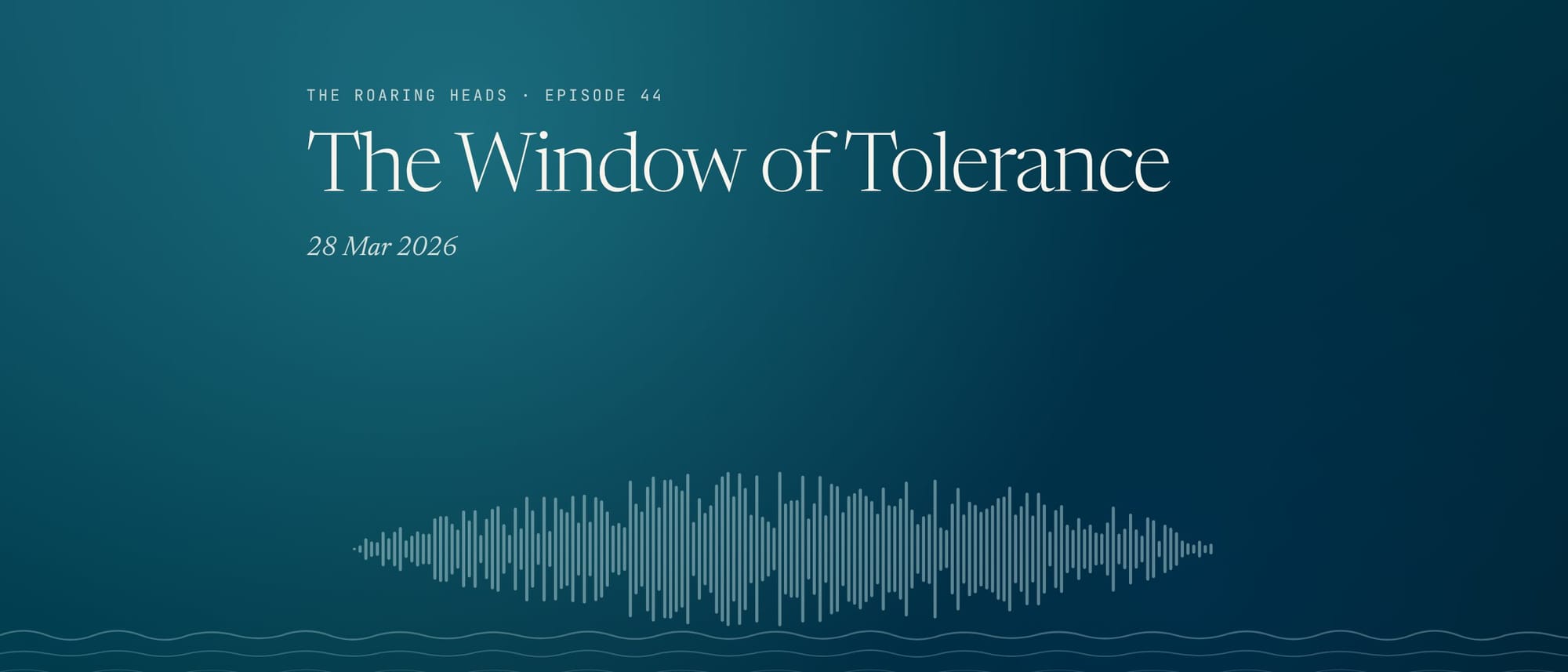
- Podcast episodes: always use the episode image maker. Every picture comes out the right size and in the same style.
- Articles: see Pictures for articles.
- Link previews: the feature image is also what shows when someone shares the link. If you change it after sharing, Facebook keeps showing the old one for a while. Paste the link into Facebook's Sharing Debugger (developers.facebook.com/tools/debug) and click Scrape Again to refresh it.
Bookings, enquiries and free plans
Bookings
Bookings run through Cal.com: the free 30-minute first chat, the 1:1 consultation and the mental skills consultation. To change your available times, length or questions, log in to Cal.com. The website always shows what's there.
Changing a price
Your prices live in two places: the Work with me page, and the booking in Cal.com, where each booking has its description and its price. Cal.com passes that price to Stripe when someone pays, so there's nothing to change in Stripe itself. Today both say $480 (in AUD) for the review and the mental skills consultation.
The prices on Work with me are part of the page design, so changing them is a job for Shawn. When you ask him, change the booking's price and description in Cal.com yourself at the same time, so people see the same price on the site, when they book and when they pay.
The "Send a message" form
Messages from grantgiles.com.au/hello arrive in your email, sent by Formspree. Reply to them like any email.
Free training plans
The Free training plans page shows your three plans in full, pulled straight from their posts:
- 13-week Ironman 70.3 race preparation
- 10-week Ironman 70.3 program
- 12-week Olympic distance plan
To change a plan, edit its post as normal and the page updates by itself. Don't change those three posts' web addresses, or the page loses them. A new plan or guide tagged Free training plans appears under the three automatically.
Want to change the words on the booking pages, or add a new kind of session? That's a job for Shawn.
Your brand
What you stand for
Your brand brief in short. The full version, with the Kona story, the plan for Instagram and the letter, and the home page plan, is on its own page: The brand. Anything new on the site, on Instagram or in the letter should fit it.
- The idea: a renaissance of feel. The inner game of endurance sport. Reality is a strict but fair teacher.
- What you're against: reassurance. Chasing numbers, buying speed, a program handed over with nobody behind it.
- Who it's for: the over-pusher. Strong-minded, successful outside sport, a full life. Pushing isn't their problem; listening in is.
- Your headline lines: Coached, not programmed. Knowing is not understanding. Embodiment, not embrainment. Train for the demands, not the dopamine. Fall in love with the reality, not the idea.
- The facts we use: coaching since 2000 (the site counts the years for you, 26 this year), Triathlon Australia Level 3 High Performance, clinical hypnotherapy and strategic psychotherapy. Names spelt Tim Van Berkel and Peter Robertson.
- Ask first: Scott's story stays off the site, Instagram and the letter until he's said yes.
Brand sheet and downloads

Downloads (right-click or press and hold, then save):
- Logo icon, light: the "G." on paper. For profile pictures and anywhere with a light background.
- Logo icon, dark: the "G." on ink. For dark backgrounds.
- Signature: see-through background. Use it once, at the end of a piece, never as a logo.
- Photo: you at Brunswick Heads.
- Brand sheet: the page above, to send to a designer or printer.


Colours
For Canva, email, print and anything else that asks for a colour code:
- Paper #F9F4EC: backgrounds
- Ink #221813: text and headings
- Ink soft #49403B: smaller text
- Ocean #356577: the one accent colour, for links, buttons and the little dot. Use it sparingly.
- Line #CBC3BA: thin dividing lines
- The six pillars: Speed #007B82, Aerobic speed #00649A, Aerobic strength #253A6C, Automaticity #9A6418, Thrive #A94524, Discomfort #852535
- The Roaring Heads: night teal #0E4F64 fading to #001F2B
Fonts
All four are free from Google Fonts (fonts.google.com), and Canva has them too.
- Newsreader: headlines. Light weight, with an italic word or two.
- Inter Tight: everyday text.
- JetBrains Mono: small UPPERCASE labels and dates.
- Caveat: handwriting, once on a page at most.
Where you can't choose those, use Georgia for headlines and Arial for text.
How it should feel
- Warm paper, warm ink, one small splash of Ocean. Lots of space.
- Square corners and thin lines, not rounded boxes and shadows.
- Real photos in natural light. No stock photos.
- Your voice: straight talk carrying deep ideas, to one reader, Australian. Instagram, the letter, the home page, Work with me and /hello get the direct end. Essays and the How I coach pages stay reflective. Short sentences. Italics for the one word that matters.
- Swearing is your call. Nobody takes it out of your words without asking you.
- No exclamation marks, no emoji, no hype ("world-class", "unlock your potential").
When to ask Shawn
What you can change
- Posts, episodes and the letter
- Tags
- The menus, in Settings → Navigation
- Your profile and photo, in Settings → Staff
- The letter's header, footer and sender name, in Settings → Newsletters
- Search titles and descriptions for any page, in Pages → the page → settings
- Athletes' stories, and which come first (the star)
What needs Shawn
The words and layout on the designed pages: Home, About, How I coach (and the six pillar pages), Work with me, Writings, Podcast, the topic pages and Free training plans. Those words are built into the site's design, so changing them takes code.
In Pages you'll see pages like "pillars", "work", "speed" and "signup". Most look empty. They hold the search settings for the designed pages. Don't delete them or change their web address, or the matching page stops working.
Don't
- Don't publish with the title still "Untitled", or with a Post URL that doesn't match the title.
- Don't publish an article or episode without a feature image.
- Don't use a tall (portrait) photo as a feature image. Use a landscape one.
- Don't write an excerpt about yourself in the third person (“Grant reflects on…”). Write it the way you'd say it.
- Don't put a picture as the first thing in the text.
- Don't change the web address of a published post or episode. Old links and Google results break.
- Don't send a letter without a test email first.
- Don't add the AusTriathlon High Performance banner or the IAP logo to the bottom of a post or letter.
- Don't publish a second "promo" post for an episode.
- Don't paste "Listen on Apple / Spotify / Google" lines into episodes.
- Don't delete pages from the Pages list.
- Don't rename a Buzzsprout episode without its #number.
If something looks wrong
- An episode has no player: the Buzzsprout embed is missing or was pasted as plain text. Add it again with /html.
- An episode has no number: the Buzzsprout title is missing "#45". Fix it in Buzzsprout. The website catches up within a few hours.
- A link preview shows the wrong picture: refresh it in Facebook's Sharing Debugger (see Pictures and link previews).
- An article is missing from a topic page: check its first tag is Mind, Training, Racing Insights or Race preparation.
- A post went out as "Untitled": fix the title straight away. Leave the web address alone if it's been shared or emailed, and send Shawn the link so he can set up a redirect from it.
- Anything else: send Shawn the link and a screenshot.
How the site is doing
Ghost Admin's Analytics section shows visits, popular posts, where people came from, and how the letter is growing and getting opened. It's built in and private. There's nothing to set up.
What's changed on the site
Newest first, so you can see what's new since you last looked.
9 November 2026
- Your About page now tells where your coaching comes from: Arthur Jackson and the Lennox Head squad. It also says you grew up in Port Kembla and live in Brunswick Heads.
- The About timeline has the podcast and your 2025 re-accreditation, and Tim Reed, Clayton Fettell and Eric Lauricella link to their stories.
- The hello page, Work with me and the podcast episodes now say AusTriathlon too.
8 November 2026
- The top of your High Performance Coach page now says you've coached since 2000 and names Tim Reed and Tim Van Berkel, so Google picks them up. The rest of the page is as you wrote it.
7 November 2026
- The pictures at the top of your High Performance Coach page, and the ones that show when it or the home page is shared, now say AusTriathlon too.
5 November 2026
- The home page now says you're a triathlon coach right at the top, and the line under the headline is yours: “Your capacity to suffer isn’t the measure of your worth.”
- Your accreditation reads “AusTriathlon Level 3, High Performance” everywhere.
- The home page has one Work with me button, the one at the top, instead of two.
- The Racing Insights page opens again.
1 November 2026
- Tim Van Berkel's story is up, in his own words. He's starred, so he leads the Athletes page and gives the quote on the hello page.
- Tim's quote and photo now show large on the home page, About and the High Performance Coach page, and he's on the Athletes results board.
- Athlete stories no longer appear in the Writings lists. They live on the Athletes page.
- The home page has its own Work with me button, says you coach online, and shows the price of 1:1 coaching.
- Three of your athletes' quotes now sit under the names on the home page, the same three as on Work with me, with a link to the Athletes page.
- The home page links to the free training plans, and its review card now says 90 minutes, not an hour.
- Those quotes now sit in tidy rows, and Tim Reed's line shows his 70.3 world title and Ironman Australia win (2016).
- When someone shares your home page, the preview now shows your photo and Level 3 accreditation instead of a stock photo, and Google gets a new summary that says you coach online.
31 October 2026
- A new footer: a newsletter sign-up on most pages, your Level 3 accreditation, and Privacy and Terms at the very bottom.
- The podcast strip under the newsletter on the home page is gone. The podcast is still in the footer menu.
- New essay: What Is Fair in Triathlon? It's on the site and went out to your newsletter.
- 17 of your Trizone articles are scheduled, one every Monday at 7am until late February, each with a new drawing. About every second one also goes to your newsletter.
- The Contents list beside articles no longer hides under the menu bar on laptops, and long lists scroll on their own.
- Punctuation tidied to your house style on every post and page: no long dashes, and no comma before the last "and" in a list. The words are the same.
- 160 essays made from your reels are scheduled, mixed in with the Trizone articles, through to December 2028: about one every four days. Days and times vary, and every two to three weeks one also goes to your newsletter. Each has a new drawing. Have a read in Ghost Admin (Posts, Scheduled) before each one goes out.
- A new calendar page shows everything that's gone out and what's coming up (it's in your bookmarks).
- The photo on your /hello page now looks like a real Polaroid: taped on, tilted, with your caption written underneath.
30 October 2026
- Your post on what a triathlon coach costs now shows what Australian coaches charge in 2026, and your own starting price.
- Your five drafted posts are live. Four replaced the older versions at the same addresses (what a coach costs, online or local, choosing a coach, the 80/20 rule), and “Is 4 Months Enough to Train for a Triathlon?” is new.
29 October 2026
- Halloween is on until 1 November: a ghost peeks over your photo on the home page (tap it for a spooky wind), and "possessed" writes itself over your headline for a moment.
- Your /hello/ page has a spider on its polaroid and says "glad you dared", and a few spiders scuttle across both pages when people arrive.
- Work with me joins in: "work" turns into "haunt" for a moment, and the ghost on the home page now pops his head right up every few seconds.
- It all switches itself off after 1 November and comes back next Halloween.
- A Halloween note, "The fright threshold", is waiting in Posts as a draft for you to put in your own words.
- A page reviewing all your Instagram reels, with the 29 essays drafted from them. It's under Your tools at the top of this page.
- Prices on Work with me now say "in Australian dollars" rather than "include GST", as you're not registered for GST.
- The site now has a Privacy Policy and Terms and Conditions, linked at the bottom of every page. You edit their words in Ghost, under Pages.
28 October 2026
- Your social kit is ready: profile pictures, banners, post templates and a Reel pack to download. It's under Your tools at the top of this page.
- Work with me has more breathing room around the athletes' words.
- Two draft rewrites are waiting for you in Ghost: Quiet Quitting and Relax At Speed.
- The checkup no longer asks you to lengthen every short post.
- Longer articles have a contents bar on phones.
- Athlete stories no longer show a contents list.
27 October 2026
- Work with me says online, anywhere in the world, no minimum commitment.
26 October 2026
- Your brand brief now has its own page, The brand: unlisted like this guide, with a contents list down the side. You edit its words in Ghost, under Pages → The brand. Linked from What you stand for.
- Your brand now opens with What you stand for: the short version of your brand brief. Everything new gets checked against the full brief.
- How it should feel now says where your direct voice goes and where the reflective one stays, and that swearing is your call.
- "Weekly programming" is now "Weekly training plan" and "Weekly adaptive program".
25 October 2026
- A new Athletes page: every athlete's story in their own words, with a form for past athletes to send theirs. It's in the footer menu, has its own link-preview picture, and the old /testimonial address now leads there.
- The kind words on Work with me and /hello are now your athletes' real words, taken from their stories. You change them in Ghost: see Add an athlete's story.
- The six stories each got a quote and a caption, with their old summary kept for Google. David Arnold's is starred.
- A note on changing a price, under Bookings: the site and the booking in Cal.com (its description and its price) both need the new figure.
- The post checkup, your fourth bookmark: every published post checked against this guide, with a link to fix each one.
- Every article now has an excerpt, so the Writings list shows a proper summary instead of the first lines cut off. The 60 that described you as “Grant” were rewritten in your voice. The post checkup now flags any post without one.
- Feature pictures on 26 more articles, and no article now has a second picture stacked straight under its feature picture (19 did). Only the four old Monthly Newsletter posts are left without one.
- 62 links added inside 57 articles, each on words that name what the other page is about (most go to the Discomfort pillar). The other 52 articles had nothing that fitted honestly, so they were left alone.
- 30 older posts were moved from Ghost's old editor format to the current one. Nothing looks different; they now open and edit like every other post.
- This guide now says feature pictures must be landscape, and what to do with a tall photo or a book cover.
- The review and mental skills consultation are now paid when people book: Cal.com takes the payment through Stripe. Work with me says so under both.
- Old links inside 24 articles and letters pointed at addresses that now only redirect (like the old Work with Grant page). They go straight to the right page now.
- Your Half Ironman guide has proper section headings and a contents list down the side, plus a clearer title and summary for Google. It already shows up for seven 70.3 searches.
- The Book, Coaching Services and Newsletter tag pages have a summary for Google, the sign-in and account pages are hidden from Google, and your author page is titled “Writing by Grant Giles”.
- Tim Reed's story, Letting Go, in his own words from his Roaring Heads episode. He's starred, so he now leads the Athletes page and is the quote on /hello.
- Work with me has a new title for Google, “Online Triathlon Coaching, Australia-wide”, so it shows up for athletes looking for an online coach anywhere in Australia, not just near Brunswick Heads. Nothing on the page itself changed.
- The About page has your new photo, links to Work with me and the Athletes page, “by video, wherever you train” in What I do now, and a clearer summary for Google.
- Your new photo is also at the top of the home page. The selfie by the water stays on /hello.
- /hello now ends with more ways into the site for people not ready to book: your athletes, how you coach, About, the once-off review, and things to read (the Half Ironman guide, the topic pages, the podcast, everything you've written).
- Work with me now says, first thing under 1:1 coaching, who it's for: “One-to-one online coaching for age-groupers and pros racing sprint to Ironman, wherever you train in Australia.” There's also a new “Where: Online, anywhere in Australia” line in the details.
- The High Performance Coach page, the one Google shows for “triathlon coach” in most cities, now links Tim Reed to his story, points to the Athletes page and Work with me, and says the coaching is online, anywhere in Australia.
- Your post on the cost of triathlon coaching has its title typo fixed (“in Australia”), a Google title matching the question people ask (“How much does a triathlon coach cost in Australia?”), proper headings, and a closing line linking to Work with me. Your words weren't changed.
- Your two Effortless Swimming interviews with Brenton Ford are on the Podcast page as guest spots: The Psychology of Performance (episode 66, 2016) and Race on Instinct (episode 108, 2018). Both play in your own player, and they link to each other.
- Your podcast player now also plays guest spots from shows without a Spotify page: paste the episode's audio link (see When you're a guest on someone else's show).
- Five posts drafted for you in Ghost (Posts → Drafts), answering what people ask Google about coaches: what a coach costs, online or local coaching, how to choose a coach, the 80/20 rule, and a new one, “Is 4 months enough to train for a triathlon?”. Your own words from both Effortless Swimming interviews (2016 and 2018) are in all five, each marked so you can check it.
- Jobs for you: (1) Done: your new photo as your profile picture, and a bio, in Ghost Admin → Settings → Staff → Grant Giles. Only you can edit it. The photo replaces the grey placeholder Google shows beside your articles; the bio becomes your author page's summary for Google. Suggested: “Triathlon coach, writer and podcaster in Brunswick Heads, NSW. Every essay, letter and podcast episode by Grant Giles, coaching endurance athletes since 2000.”
- All 49 podcast episodes now follow one pattern: what the episode is about, the guest (for interviews), what you cover, a line you said in it, where it fits in how you coach, and two to four essays to read next. They now link to 105 different pages across your site; before, almost none linked anywhere. Every episode also shows a "Your host" box with your accreditation, athletes you've coached and a booking link.
- Episodes 3 (Tim Reed) and 4 (Mark Turner) were dated 2020; they're now December 2019, so they sit in the right order. Three episodes moved topic: Hayden Armstrong and Mark Turner to Mind, Race Week Head Games to Racing Insights.
- The Cheat Code episode no longer mentions workshops or exploring it "in the coming months".
- Your guest spot Breathe, Visualise, Win now says it was episode 23 of Sebastian Mierau's The Helsi Show (now the Happiest CEO podcast), with two of your lines from it. Its transcript is in the library too.
- Shawn is building a library of transcripts of everything you've said on podcasts and in Reels, starting with the Effortless Swimming interviews and Tim Reed's episode. It becomes one collection of your own words to draw on for posts and pages, so they sound like you.
- Also for you: (2) in your AusTriathlon member profile, opt in to the Coach Finder. It's the first result for “triathlon coach” in every city we checked, and only coaches who opt in are listed. (3) Done: the price ranges in your cost post now show what Australian coaches charge in 2026. (4) Done: the five drafts are published. (5) Download your Instagram data so your Reels can be transcribed: Instagram → Accounts Centre → Your information and permissions → Download your information → Some of your information → Posts and Reels, media quality High. Send the zip to Shawn. (6) Episode 7 of The Roaring Heads isn't on Buzzsprout any more. If you still have it, send it to Shawn.
24 October 2026 (later)
- This guide reorganised by task, with a new section on sending the letter.
- No more AusTriathlon and IAP badges at the bottom of letters: the letter's footer signs off for you.
- A "The welcome email" section in this guide, showing what new readers get when they sign up.
- Prices on Work with me now carry an asterisk and "* Prices include GST." under each price panel.
- Your two Huskisson posts no longer compete in Google. One is now the Huskisson Triathlon Course Guide; the other is Racing Husky: A Coach's Report on Two Athletes, Two Races. Each links to the other, typos fixed, web addresses unchanged.
- Six sign-off badges the October tidy-up missed were removed from Wreckage, The Love of the Race, War and Peace and No Quarter, including two "Accredited 2023–24" banners that had gone out of date.
- 55 older posts that had no feature image now have one, using a picture already in the post. The rest need a photo from you: see Publish an article, where a feature image is now required.
- In 59 posts that opened with a second picture straight under the header, that picture now sits a couple of paragraphs down.
- The "Photograph, by Grant Giles" line under header pictures is gone. It credited you for stock photos; the photographer's credit above it stays.
24 October 2026
- This guide.
- Podcast: every episode got its own page, with a player in the site's style, its number and length, share and follow buttons, and podcast details for search engines.
- All 47 episodes tidied: clean titles, short summaries, an "In this episode" list, new matching pictures, dead Google Podcasts links removed. Episodes #44, #34 and #29 were added from Buzzsprout, and your guest spots are labelled as such.
- The episode image maker.
- The "Episode show notes" snippet in the editor.
- Link-preview pictures for the High Performance Coach and Free training plans pages, and a new top picture for High Performance Coach.
23 October 2026
- Your own pages for Automaticity, Thrive and Discomfort, under How I coach.
- Sign-up, sign-in and account pages in the site's style (the "race registration" look).
- The Letter: your three old newsletters made into one, restyled to match the site (paper background, Ocean buttons and links, a new header picture), and a footer that ends with your "work together" line. Replies go to grant@aeromaxteam.com.
- A welcome email for new readers (see The welcome email).
- Notebook-sketch link-preview pictures for the main pages.
- A triathlon-themed "off course" page for broken links, and a "mechanical" page if the site has a problem.
- Booking for review and psychology sessions right on the Work with me page.
21 to 22 October 2026
- The "G." icon: browser tab, phone home screen and Ghost.
- The Send a message form simplified.
- In-page booking on the High Performance page.
18 October 2026
- A new home page, built as a coach's front door and designed for phones first.
- Your real signature at the end of posts.
- One-to-one coaching applications moved to booking a chat first.
- Fixed long essays not showing on phones.
10 October 2026
- The Podcast page and the home page podcast strip now show your real episodes.
- Every essay shows on Writings.
- The Free training plans page, with all three plans in full.
- The topic pages: Mental skills, Training insights and Racing insights.
- Old broken links repaired.
April 2026
- The new site's foundations: every page got its own search title and description.